HOW YOUR TICKET WORKS
Every warranty claim, repair quote request and repair service order on this site becomes a ticket. Your ticket number (for example #00734) is also your RMA number.
What Happens After You Send It
- Warranty claim: we review your claim, photos and proof of purchase, and reply on your ticket. If we approve it, we email you your RMA number and shipping instructions, with an RMA form to print and put in the box.
- Repair quote: we reply on your ticket with a quote. If you go ahead, we email you your RMA number and shipping instructions.
- Repair service bought in our shop: once your order is confirmed, we open a repair ticket for you and email you your RMA number and shipping instructions right away.
Please don't ship anything until you have your RMA number.
See Your Ticket Online
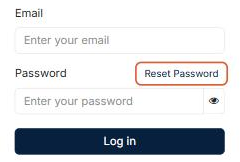
Click Sign in at the top right and sign in with your account email and password. Forgot your password? Click Reset Password on the sign-in page.

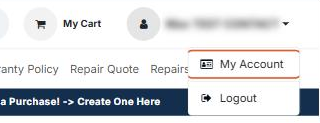
Click your name at the top right, then My Account.
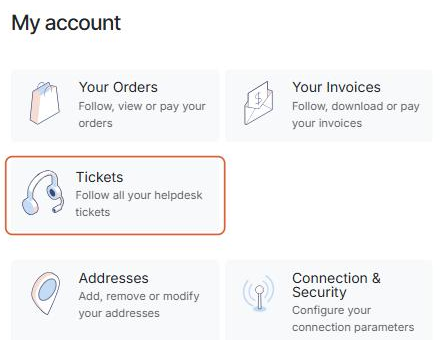
Click Tickets to see each ticket with its number, the date you sent it and its status. You can also go straight to My Tickets.
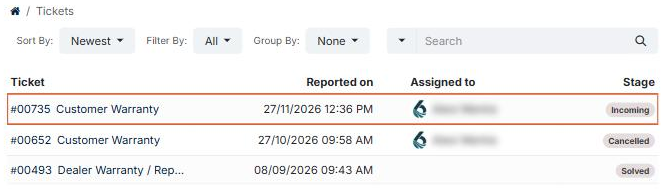
Click a ticket to open it. Its status is shown next to Stage at the top of the ticket, and Communication history shows our messages and yours, newest first. RMA emails come by email only, so check your inbox and spam folder for them.
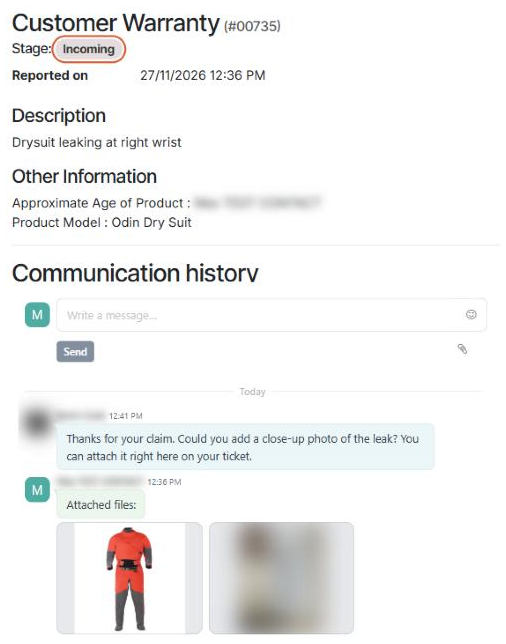
Send Us a Message or Photos
In your ticket, write in the message box, click the paperclip to add photos, then send.

The message box closes once a ticket is Solved or Cancelled. After that, email warranty@levelsix.com.
You can't close a ticket yourself. If you no longer need help, tell us and we'll close it.
Replying by Email
When we write to you about your ticket, just reply to that email and your answer is added to the ticket.
The address our ticket emails come from only takes replies: a new email sent to it comes back undelivered. For a new question, email warranty@levelsix.com.
What Each Status Means
| Status | What it means | What to do |
|---|---|---|
| Incoming | We have your request. | Nothing yet. |
| Awaiting Item (RMA Sent) | We emailed your RMA number and shipping instructions. | Print the RMA form, put it in the box and ship your item to the address in the email. |
| Arrived | Your item reached us. | Nothing. |
| In Progress | We're evaluating or repairing your item. | Nothing. |
| Final Inspection | The work is done and we're checking it before it ships back. | Nothing. |
| Waiting on Customer Payment / Response or Awaiting Customer Response | We need something from you. | Read our latest message and reply. |
| Solved | Your claim or repair is complete. | Nothing. |
| Cancelled | The ticket is closed without a repair. | Questions? Email warranty@levelsix.com. |
Sent Your Form Without Signing In?
You'll still get our emails. To see the ticket online you need an account with the same email address. Because we already have that address from your form, the account isn't created automatically: email warranty@levelsix.com and we'll set it up.
New here? Create a free customer account before you send a warranty claim or a repair quote request.
Questions? Email warranty@levelsix.com.